
IPTV on Firestick in Finland 2026 – Complete Guide in 10 Minutes
This guide walks through every step in precise detail. We assume you already have your Finland IPTV subscription credentials (username, password, server URL). If not, get your subscription first and then return here:
Why Amazon Fire TV Stick is the Best Device for IPTV?
Which Firestick Should You Buy? – Model Comparison
| Model | Resolution | CPU | RAM | Wi-Fi | Price | For IPTV |
|---|---|---|---|---|---|---|
| Fire TV Stick Lite | 1080p | 1.7 GHz Quad-core | 1 GB | Wi-Fi 5 | ~€25 | Sufficient for HD IPTV |
| Fire TV Stick (3rd gen) | 1080p | 1.7 GHz Quad-core | 1 GB | Wi-Fi 5 | ~€35 | Sufficient for HD IPTV |
| Fire TV Stick 4K ★ | 4K HDR | 1.7 GHz Quad-core | 2 GB | Wi-Fi 6 | ~€55 | Best value |
| Fire TV Stick 4K Max | 4K HDR | 1.8 GHz Octa-core | 2 GB | Wi-Fi 6E | ~€70 | Best performance |
Recommendation: The Fire TV Stick 4K is the best choice for most users — 4K support, Wi-Fi 6 and 2 GB RAM ensure smooth IPTV streaming. If you live in a large home or your Wi-Fi is weak, choose the 4K Max for its Wi-Fi 6E support.
IPTV Installation on Firestick – Step by Step (2026)
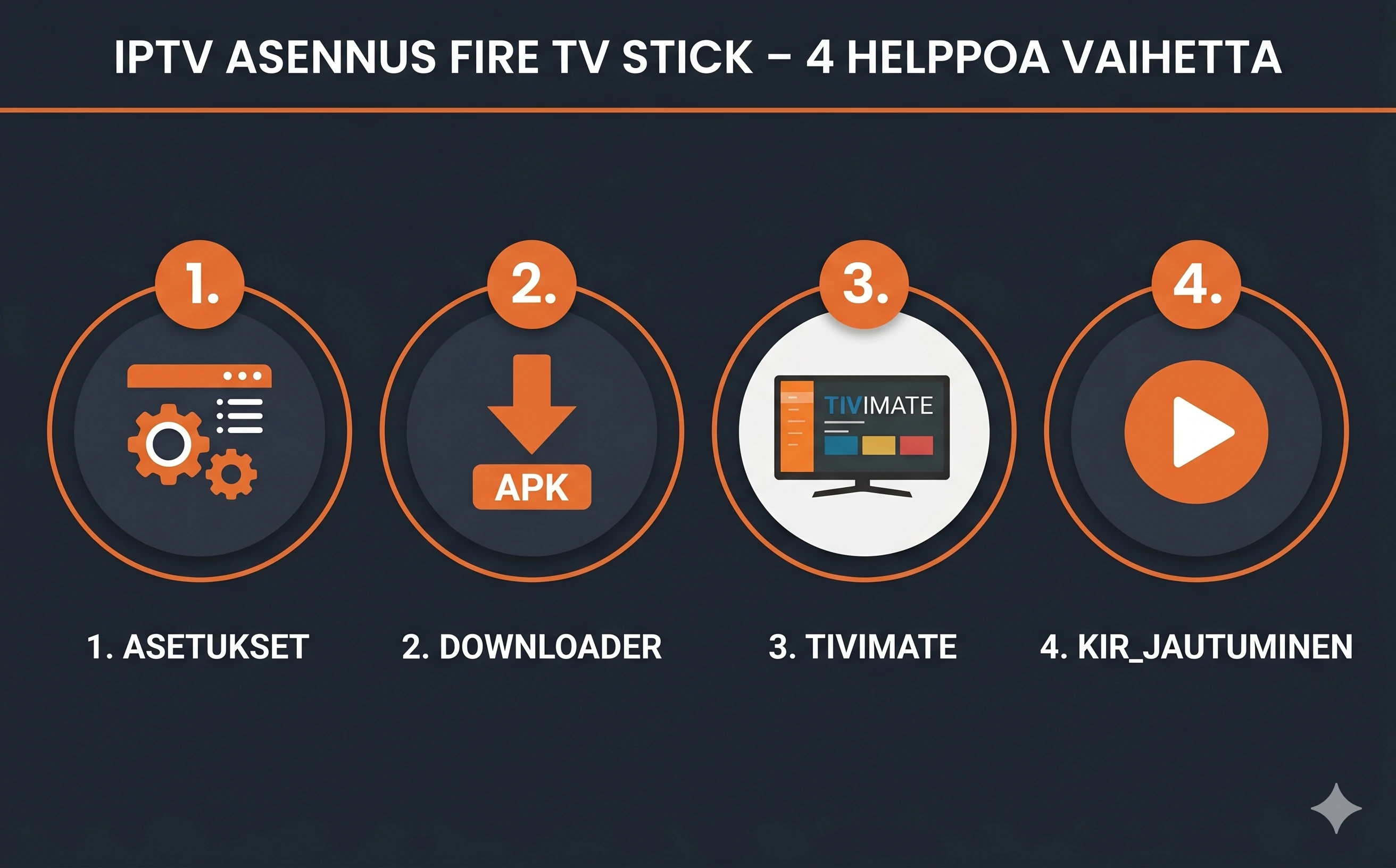
Enable "Unknown Sources"
By default Firestick does not allow third-party apps. This must be changed before installation:
- Press the Settings button on your Firestick remote
- Select My Fire TV
- Select Developer Options
- Find Apps from Unknown Sources — toggle to ON
This is a one-time step — you will not need to repeat it.
Install the Downloader App
Downloader is a free APK-loading app available officially from the Firestick App Store:
- Return to the Firestick home screen
- Open Find → Search or Apps
- Search for "Downloader" (by AFTVnews)
- Install and open the app
- Accept the permissions on first launch
Download and Install TiviMate
In the Downloader app, enter the TiviMate APK URL in the URL field (available from TiviMate's official site or trusted APK sources). Press Go — the download starts automatically. When complete:
- Press Install — wait for installation to finish
- Press Open to launch TiviMate immediately
- You can delete the APK file after installation — the app remains installed
Add Your Finland IPTV Subscription to TiviMate
Now you need your login credentials (sent to you by email when you subscribed):
- Open TiviMate — press Add playlist
- Select Xtream Codes (recommended) or M3U URL
- Enter your Server URL, Username and Password
- Press Add — channel list loads automatically (10–30 seconds)
- Enable EPG: Settings → EPG → Load EPG — the programme guide loads in the background
✅ Done! The channel list is now open. Search for Finnish channels using "YLE" or "MTV".
TiviMate vs. IPTV Smarters on Firestick – Which to Choose?
| Feature | TiviMate ★ Recommended | IPTV Smarters Pro |
|---|---|---|
| TV interface | Optimised for TV | Mobile-based, works |
| EPG (programme guide) | Automatic update | Manual or automatic |
| Multi-stream | ✓ 4 simultaneous channels | ✓ 2 channels |
| Catchup TV | ✓ Comprehensive | ✓ Works |
| Price | Free / ~$5/year (Premium) | Free |
| Remote navigation | Excellent | Good |
| Launch time | Fast (~2 s) | Moderate (~4 s) |
Verdict: TiviMate is by far the best choice for Firestick. Its TV-optimised interface, fast EPG and multi-stream make the viewing experience significantly better than IPTV Smarters.
Firestick IPTV – 5 Tips for Best Performance
- Use the 5 GHz Wi-Fi band — the 2.4 GHz band can get congested easily. 5 GHz provides a faster and more stable connection for 4K streaming.
- Clear the Firestick cache regularly — Settings → Applications → Manage Installed Applications → TiviMate → Clear Cache. Do this once a month.
- Close other apps before streaming IPTV — Firestick 4K has 2 GB RAM. Netflix, YouTube and other apps running in the background can slow down TiviMate.
- Choose the nearest server stream — if your provider offers multiple server options, select the Europe server for the lowest latency from Finland.
- Keep Firestick firmware up to date — Settings → My Fire TV → About → Check for System Updates. Newer firmware improves performance and fixes bugs.
Common Problems and Solutions
| Problem | Cause | Solution |
|---|---|---|
| Picture buffers or stutters | Weak Wi-Fi or slow internet | Switch to 5 GHz Wi-Fi or use an Ethernet adapter (sold separately for Firestick) |
| No channels / empty list | Incorrect Xtream Codes credentials | Check your credentials in the email — copy-paste, do not type manually |
| EPG shows no programme data | EPG not loaded | TiviMate → Settings → EPG → Load EPG → wait for loading to complete (1–5 min) |
| TiviMate crashes | Cache full or RAM exhausted | Clear TiviMate cache (Settings → Applications) and restart Firestick |
| App won't install (APK) | Unknown Sources not enabled | Check Step 1 — Developer Options → Apps from Unknown Sources: ON |
Frequently Asked Questions – IPTV Firestick Finland
Does IPTV work on Firestick in Finland?
Does Firestick need a VPN for IPTV?
How much internet speed is needed for Firestick IPTV?
Can I watch multiple channels simultaneously on Firestick?
What is the cheapest way to watch IPTV on Firestick?
Your Firestick is ready — now get the best content for it. See our full review of the best IPTV service for Finland in 2026.
IPTV Firestick Finland: practical details, benchmarks and buyer checks
What Finnish users should verify before trusting the page or service
Finland is a demanding streaming market because many homes use a mix of fibre, 5G home internet, apartment Ethernet and older Wi‑Fi routers. A useful IPTV guide should therefore discuss the whole chain: the subscription credentials, the player app, the router, the TV device and the support process. If one part is weak, channel quantity alone will not make the experience good.
- Test during prime time, especially Friday evening and live sports, not only at noon.
- Check EPG accuracy for Finnish channels, Nordic sports and children’s channels.
- Use Ethernet where possible; if using Wi‑Fi, prefer 5 GHz or Wi‑Fi 6 near the television.
- Confirm the refund window, support language and whether renewal is manual or automatic.
Mini infographic: the reliable IPTV setup
The best results come from matching the app to the device: TiviMate for Android TV and Firestick, IPTV Smarters for iPhone and cross-platform users, and a lightweight player on older televisions. Avoid judging the service until you have tested another app, restarted the router and compared Wi‑Fi with a wired connection.
Editorial quality checklist for this page
To make this page more useful than a thin landing page, it should contain a unique explanation, a practical checklist, real limitations, internal links to related guides, descriptive images and structured data. Those elements help both people and crawlers understand why the page exists separately from the homepage.